
In today’s digital world, a landing page is one of the most powerful tools to generate leads, drive sales, and grow your online presence. Whether you are a beginner or building your portfolio, learning how to create an effective landing page can set you apart.
In this guide, you’ll learn a simple, step-by-step method to create a landing page that actually converts visitors into customers.
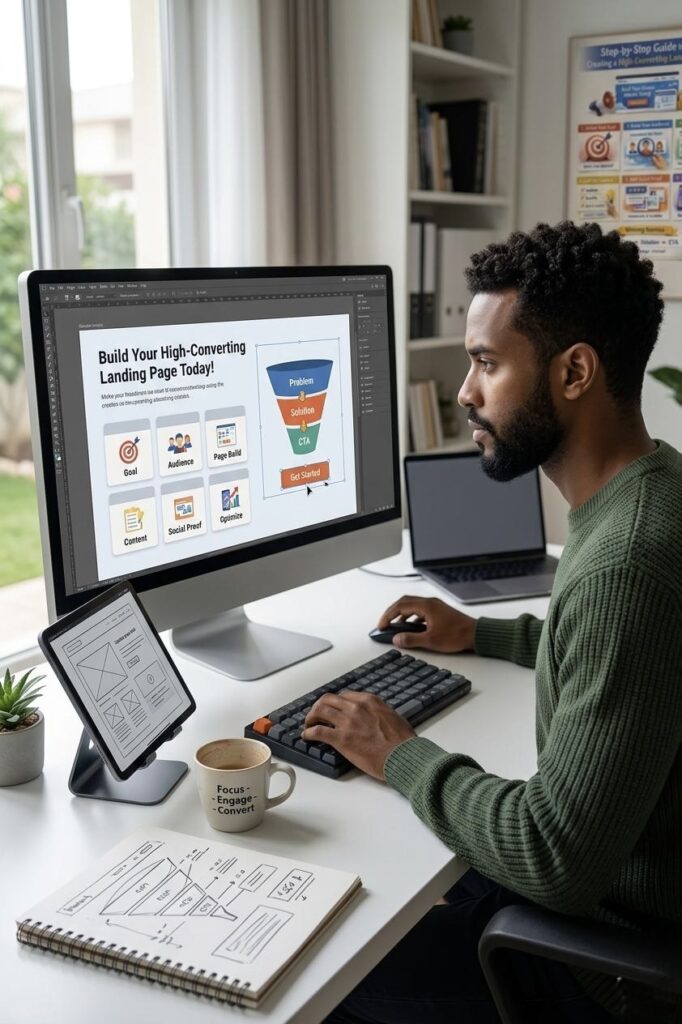
What is a Landing Page?
A landing page is a single web page designed with one clear goal — to get visitors to take action.
That action could be:
- Signing up for a service
- Booking a consultation
- Purchasing a product
- Contacting you via WhatsApp or email
Unlike a full website, a landing page is focused and distraction-free.
Step 1: Define Your Goal
Before designing your page, be clear about your objective.
Ask yourself:
- What action do I want users to take?
- Who is my target audience?
Example:
“I want to generate leads for my website design services.”
Step 2: Understand Your Audience
Your landing page should solve one specific problem.
For example:
- Business owners who don’t have a website
- People struggling to get online customers
When you understand the problem, your content becomes more powerful.
Step 3: Choose the Right Platform
You can build your landing page using tools like:
- WordPress (flexible and powerful)
- Elementor (easy drag-and-drop builder)
- Wix (beginner-friendly platform)
If you are just starting, WordPress + Elementor is a great combination.
Step 4: Create the Perfect Structure
A high-converting landing page usually follows this structure:
1. Hero Section (First Impression)
This is the top part of your page.
Include:
- A strong headline
- A short description
- A clear call-to-action button
Example:
“Get a Professional Website for Your Business in Just 3 Days”
2. Problem Section
Talk about the user’s pain points.
Example:
- “Not getting enough clients online?”
- “Still don’t have a website for your business?”
This creates connection and interest.
3. Solution Section
Explain how you solve their problem.
Example:
“I design modern, fast, and mobile-friendly websites that help businesses grow online.”
4. Benefits Section
Focus on what users gain, not just features.
- Fast delivery
- Mobile responsive design
- SEO-friendly structure
5. Social Proof
Build trust by showing:
- Testimonials
- Previous work
- Portfolio samples
People trust what others say about you.
6. Call-to-Action (CTA)
This is the most important part.
Use strong action phrases like:
- “Get Free Consultation”
- “Start Your Project Today”
- “Message Me Now”
Keep it clear and visible.
Step 5: Design Tips
A clean design improves conversions.
- Use only 2–3 colors
- Choose simple, readable fonts
- Add spacing for clarity
- Use high-quality images
Tools like Canva can help you create professional visuals easily.
Step 6: Optimize for Mobile & Speed
Most users visit from mobile devices.
Make sure:
- Your page looks good on mobile
- Images are optimized
- Loading speed is fast
A slow page can lose visitors instantly.
Step 7: Track Performance
To understand how your page performs, use tools like Google Analytics.
Track:
- Number of visitors
- User behavior
- Conversion rate
This helps you improve your page over time.
Step 8: Basic SEO Optimization
Even landing pages need SEO.
Make sure to:
- Add relevant keywords
- Write a strong meta title
- Include a clear meta description
This helps your page appear in search results.
Step 9: Test and Improve
After publishing:
- Check all buttons and links
- Test your forms
- Get feedback from others
Improvement is a continuous process.
A successful landing page is not about fancy design — it’s about clarity, focus, and action. Keep it simple, and always focus on your audience needs. A landing page works best when it has one goal and guides the visitor toward it clearly. tart building your landing page today, and you’ll be one step closer to growing your online presence.